
Smart Lock Not Working in San Antonio — Complete Diagnostic and Repair Guide
Smart locks offer convenience, keyless entry, and remote control — until they stop working. If you are dealing with a smart lock not working in San Antonio, you are not alone. The combination of intense Texas heat, high humidity, and the natural wear of electronic components creates a unique set of challenges for homeowners across the city. Whether your keypad is unresponsive, your app has lost connection, or your deadbolt refuses to budge, this guide walks you through a practical diagnostic path so you can identify the problem, attempt a fix safely, and know exactly when it is time to call a professional for a reliable digital lock fix.
Issues with keyless entry systems range from simple battery problems that take thirty seconds to resolve, all the way to internal motor failures that require hands-on smart lock repair by a trained locksmith. Before you panic or force anything, the steps below will help you work through the most common scenarios methodically. If you need immediate professional help with your home security, Immediate Response Locksmith offers residential locksmith services designed to diagnose and resolve exactly these kinds of situations quickly and affordably.
Why Does a Smart Lock Suddenly Stop Working?
Most homeowners assume a smart lock failure is a single event, but it is almost always the result of multiple small factors converging. A battery that has been slowly draining over weeks finally drops below the voltage threshold the motor needs. A door frame that shifted a fraction of an inch during a hot San Antonio summer now puts just enough pressure on the deadbolt to stall the mechanism. A firmware update ran overnight and reset a Bluetooth pairing without you noticing.
The key insight is that smart locks operate at the intersection of mechanical hardware, electrical power, and digital software. A failure in any one of those layers can look identical from the outside — “my lock is not working.” That is why a structured diagnostic approach matters more than guessing. You need to isolate which layer is causing the problem before you start pulling batteries, resetting codes, or reaching for a screwdriver.
What Should You Check First When Your Keyless Lock Has Problems?
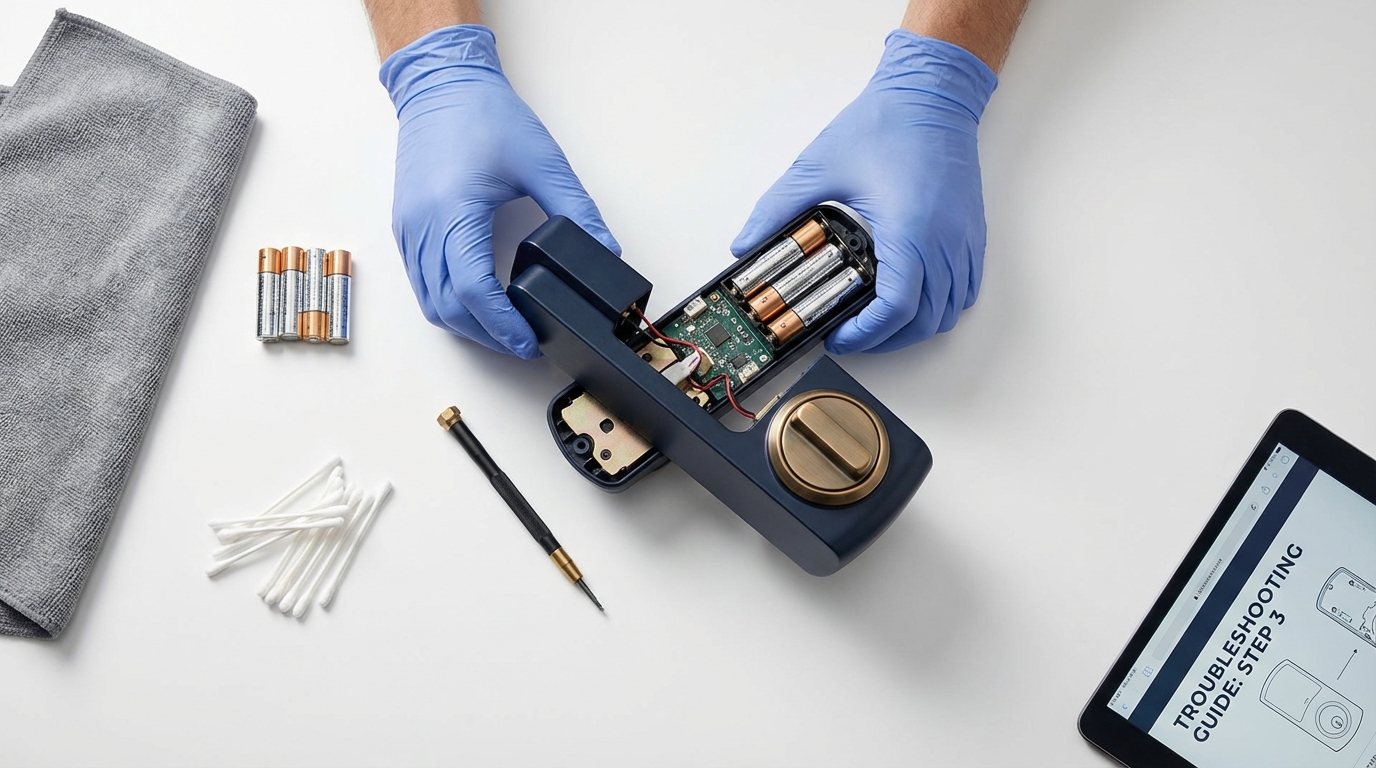
Before touching anything on the lock itself, take a moment to secure your situation. If you are locked out, do not force the door. If you are inside, open the door so you have guaranteed access throughout your troubleshooting. Then follow this priority order: power first, then mechanical alignment, then electronics, and finally software. This sequence prevents the most common mistake homeowners make — performing a factory reset too early, which wipes all codes and user access without solving the underlying issue.
Start by checking whether the lock shows any sign of life at all. Press a button on the keypad or touch the screen. Look for any LED light, listen for any beep. This single observation splits your diagnosis into two very different paths, which we cover in detail below.
No Lights, No Sound — Is It Really a Dead Battery?
How Battery Contact Corrosion Tricks You Into Thinking Batteries Are Fine
When your smart lock shows absolutely no response — no lights, no sounds, no motor movement — the most likely cause is a power delivery problem. This does not always mean the batteries are dead. In many cases, the batteries are fine, but the metal contacts inside the battery compartment have developed a thin layer of corrosion that blocks the electrical connection. This is especially common in San Antonio, where humidity accelerates oxidation on metal surfaces.
Open the battery compartment and look for white or greenish powder on the contact points. If you see any residue, remove the batteries and clean the contacts gently. According to HGTV’s guide on cleaning battery corrosion, you can use a cotton swab dipped in white vinegar to dissolve the buildup, followed by a wipe with isopropyl alcohol to remove moisture. Once the contacts are clean and dry, reinsert fresh high-quality alkaline batteries. Avoid rechargeable batteries — their lower voltage output often falls below the threshold smart lock motors require.
What If Your Smart Lock Stopped Working Right After a Battery Change?
This is one of the most frequently reported keyless lock problems in online forums, and it catches homeowners off guard. You replace the batteries expecting the lock to spring back to life, but instead it remains unresponsive or behaves erratically. The reason is that removing batteries interrupts power to the lock’s processor, which can cause it to lose its operating state or desynchronize from its app pairing.
The fix is straightforward. After inserting new batteries, perform a power cycle: remove the batteries again, wait sixty seconds, then reinsert them firmly. With the door open, test whether the lock responds to a keypad code or physical button. If the keypad works but the app does not recognize the lock, you may need to re-pair the device in your smartphone app — but do not perform a full factory reset at this stage. Re-pairing preserves your saved codes and user profiles, while a reset erases everything.
The Lock Beeps but the Deadbolt Will Not Move — What Is Happening?
When you hear a beep or see an LED flash after entering a correct code, but the deadbolt does not extend or retract, you are dealing with a mechanical resistance problem in most cases. The lock’s electronics are functioning — the processor recognized your code and sent the command to the motor. But the motor cannot complete the action because something is physically blocking the bolt’s path.
Here is the fastest way to confirm this: open the door completely so the deadbolt is free to move without touching the door frame. Now enter your code again. If the bolt moves smoothly with the door open but fails when the door is closed, you have a door alignment issue, not an electronics problem. This single test saves homeowners hours of unnecessary troubleshooting and prevents unneeded factory resets.
How San Antonio Weather Causes Door Alignment Problems That Break Smart Locks
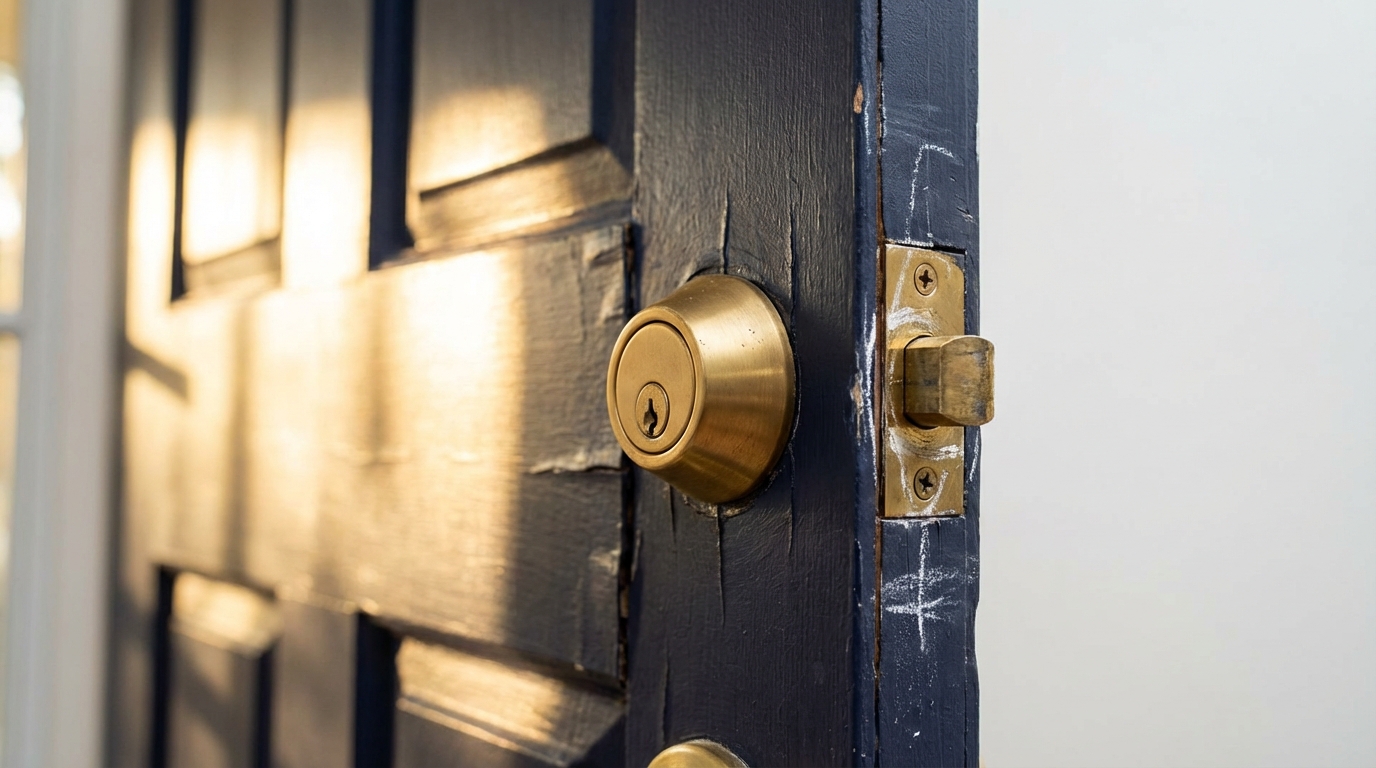
San Antonio’s climate is a particular challenge for door-mounted hardware. Summer temperatures regularly exceed 100 degrees, and humidity levels can swing dramatically between dry and wet seasons. Wooden door frames absorb and release moisture, causing them to swell and contract throughout the year. Even steel and fiberglass doors are mounted in frames that shift. As CBS News has reported, humidity is one of the most common reasons doors stick, and that sticking directly impacts the mechanical operation of any deadbolt — especially a motorized one.
When the door frame shifts even one or two millimeters, the deadbolt no longer lines up cleanly with the strike plate in the frame. The motor tries to push the bolt into the hole, meets resistance, strains, and then either stalls or triggers a “jammed” error in the lock’s firmware. Over time, this repeated strain can burn out the motor entirely, turning a simple alignment issue into an expensive replacement.
How to Diagnose Strike Plate Misalignment Yourself
A practical method recommended by This Old House is the chalk method. Apply a thin layer of chalk, lipstick, or even a dry-erase marker to the end of the deadbolt. Close the door and attempt to lock it. Open the door and examine the strike plate — the mark left by the chalk shows you exactly where the bolt is hitting. If the mark is off-center or only on one edge of the strike plate opening, you have found your problem. Minor misalignment can sometimes be corrected by loosening the strike plate screws, repositioning the plate, and re-tightening. More significant shifts may require filing the opening slightly larger or shimming the hinges.
Comparing Symptoms: A Quick Diagnostic Table
When you are standing in front of a malfunctioning smart lock, it helps to match what you observe to the most likely cause. The table below maps common symptoms to their probable source and the recommended first action.
| Symptom | Probable Cause | Recommended First Action |
|---|---|---|
| No lights, no sound, no response at all | Dead batteries or corroded contacts | Replace batteries; clean contacts with vinegar and alcohol |
| Beeps with correct code but bolt does not move | Mechanical resistance or low voltage | Test with door open; check alignment |
| Works with door open, fails when closed | Door frame misalignment or strike plate offset | Use chalk method; realign strike plate |
| Keypad unresponsive but app works | Keypad damage, dirt, or internal cable issue | Clean keypad surface; check internal ribbon cable |
| App cannot connect but keypad works fine | Bluetooth or Wi-Fi disconnect; firmware issue | Power cycle lock; re-pair in app; check home network |
| Lock displays “Jammed” error | Motor stall from mechanical obstruction | Open door, clear obstruction, test bolt travel |
| Unresponsive after battery replacement | Power cycle needed or contact seating issue | Remove batteries 60 seconds, reinsert, re-pair if needed |
Why Does the Keypad Stop Responding While Everything Else Works?
If you can lock and unlock your smart lock through the app or with a physical key override, but the keypad itself does not register your touches, you are looking at an input-layer problem rather than a core mechanism failure. The most common causes are accumulated dirt or moisture on the keypad surface, a worn-out touch sensor, or a loose ribbon cable connecting the exterior keypad assembly to the interior electronics.
Start by wiping the keypad with a dry microfiber cloth. Avoid harsh chemicals or excessive water, which can seep behind the faceplate. If cleaning does not help, the issue is likely internal. On most smart lock models, the exterior assembly connects to the interior unit through a cable that passes through the door. If this cable has been pinched during installation or has loosened over time, partial or total keypad failure results. This type of repair typically requires removing the lock from the door — something best handled by a professional to avoid damaging the cable further.
What Does It Mean When the App Cannot Control the Lock?
A scenario where your smart lock responds to the keypad and physical key but refuses to communicate with your smartphone app is frustrating, but it is usually the least urgent type of failure. Your door is still secured and accessible — you simply lose the convenience of remote control and monitoring. The root cause is almost always a connectivity issue rather than a lock hardware problem.
Check whether your phone’s Bluetooth is active and within range. If the lock uses a Wi-Fi bridge or hub, verify that the hub is powered on and connected to your home network. Changing your Wi-Fi password or router will break the lock’s connection until you reconfigure it. The Cybersecurity and Infrastructure Security Agency (CISA) recommends regularly updating home network passwords and firmware for security — but each change may require re-pairing connected devices including smart locks. After confirming network stability, try removing and re-adding the lock in your app before considering a full reset.
A Common Mistake: Performing a Factory Reset Too Early
Many troubleshooting guides jump straight to “reset the lock to factory settings.” While a factory reset can solve software-level glitches, it comes at a significant cost: all saved access codes, user profiles, scheduling rules, and app pairings are erased. You then need to reprogram everything from scratch, which can take considerable time if you have multiple users or complex access schedules.
A factory reset also does nothing to solve mechanical problems. If your deadbolt is jammed because of a misaligned door frame, resetting the software will not move the frame. You will simply end up with the same jam plus the added inconvenience of lost settings. Reserve the factory reset as a last resort, and only perform it when you have confirmed that power delivery is good, mechanical alignment is correct, and the lock still behaves erratically.
How to Perform a Safe Factory Reset When You Actually Need One
If you have ruled out batteries, contacts, alignment, and connectivity, and the lock still malfunctions, a factory reset may be warranted. Before you begin, make sure you have the door open and a secondary way to secure the door afterward (such as a chain lock or a deadbolt key). Document all current access codes and user names so you can re-enter them. Ensure your phone is charged and the lock’s app is updated to the latest version.
Every manufacturer has a slightly different reset procedure — typically involving holding a specific button on the interior unit for 10 to 30 seconds until an LED flashes a particular color. Consult your lock’s manual for the exact steps. After the reset, the lock should enter pairing mode. Add it back to your app, reconfigure codes, and test both keypad and app functionality with the door open before closing and testing under real conditions.
| Before Reset — Verify These First | Why It Matters |
|---|---|
| Door is open and you have alternate entry | Prevents lockout if reset fails |
| Fresh batteries installed and contacts clean | Eliminates power as a variable |
| All access codes documented | Reset erases everything |
| Phone charged and app updated | Re-pairing requires stable app connection |
| Bolt moves freely with door open | Confirms no mechanical jam that reset cannot fix |
Locked Out of Your Home? What to Do Before Forcing Anything
Being locked out is stressful, and the instinct to force the door open is strong. Resist it. Forcing a smart lock — whether by prying the bolt, kicking the door, or trying to disassemble the exterior housing — almost always causes more damage and higher repair costs than calling a locksmith. A bent bolt, cracked frame, or broken motor housing turns a potentially simple fix into a full lock replacement.
Instead, try reducing pressure on the bolt by pushing or pulling the door firmly toward the hinges while attempting your code. Some locks have an emergency power terminal on the exterior where you can touch a 9V battery to provide enough charge for one unlock cycle. Check your lock’s manual for this feature. If nothing works, contact an emergency locksmith in San Antonio who can gain entry with minimal damage and then diagnose the root cause on site. Immediate Response Locksmith provides 24/7 emergency service across San Antonio, arriving in 15 to 30 minutes with the tools and expertise to handle electronic and mechanical lock failures without unnecessary damage to your door or frame.
When DIY Troubleshooting Is Not Enough: Signs You Need a Professional
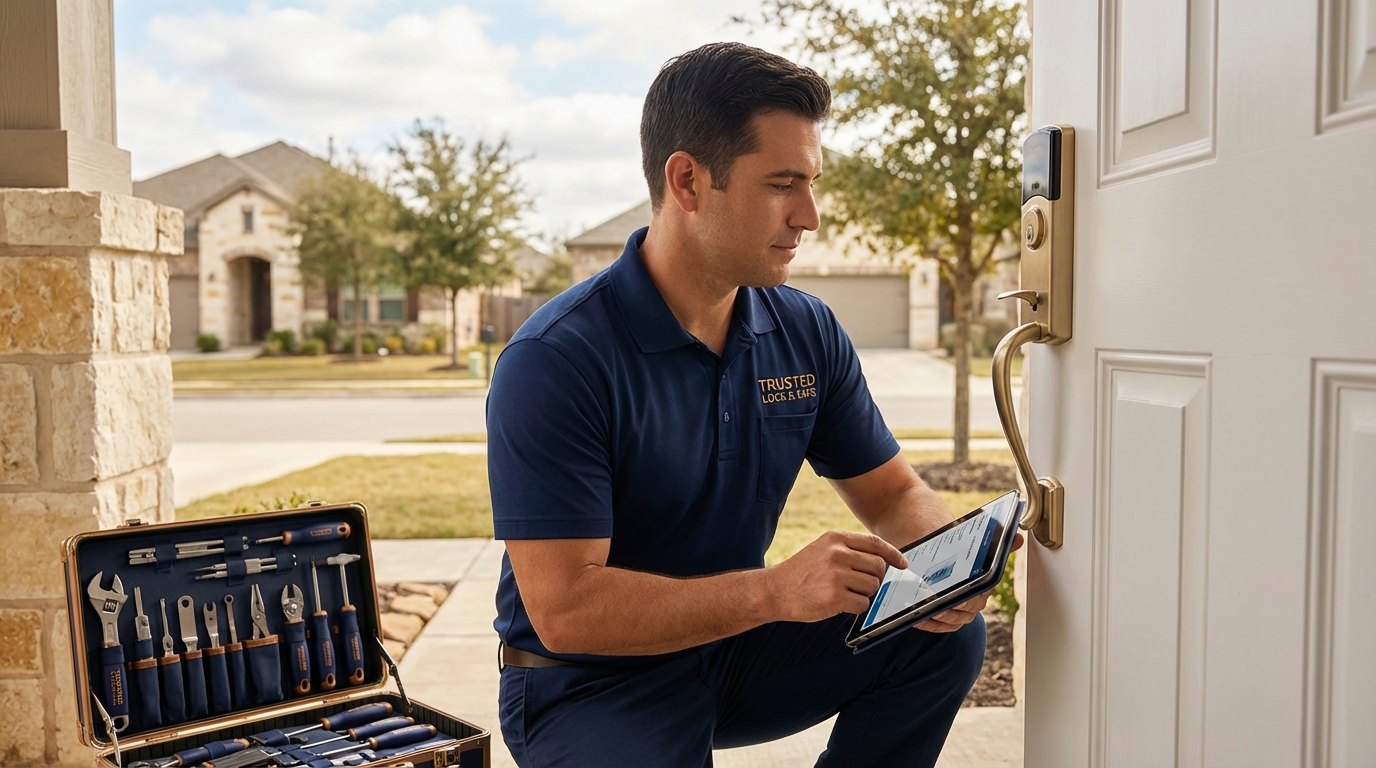
Some smart lock problems go beyond what a homeowner can safely resolve with batteries and a screwdriver. Recognizing these signs early saves you time, money, and the risk of making the problem worse.
Grinding or clicking noises from the motor indicate worn gears or a failing motor assembly. These internal components cannot be serviced without disassembling the lock, and improper handling can void any remaining warranty. If the lock remains completely unresponsive after fresh batteries, clean contacts, and a factory reset, a circuit board failure is likely. When the physical key override — the mechanical backup built into most smart locks — also refuses to turn, the internal tailpiece or cam mechanism may be damaged, which is a hardware issue that requires professional tools and parts.
High-quality residential locks are typically manufactured to meet standards such as UL 294 for electronic access control and ANSI/BHMA grading for mechanical durability. A qualified locksmith can assess whether your lock’s failure falls within a repairable scope or whether the unit has reached end of life and should be replaced with a properly rated alternative. You can find a locksmith near you in San Antonio through Immediate Response Locksmith’s service area page.
Need Smart Lock Repair or Replacement?
Licensed technicians available 24/7 across San Antonio. Fast diagnosis, honest pricing.
Can a Locksmith Actually Repair a Smart Lock, or Does It Always Need Replacing?
Many homeowners assume that smart lock failure means buying a brand-new unit. In practice, a significant percentage of failures are repairable — especially those related to door alignment, battery compartment issues, loose internal wiring, or keypad malfunctions. A trained locksmith can recalibrate the lock, adjust the door or strike plate, replace damaged cables, and restore function without the cost of a full replacement.
That said, certain failures do warrant replacement. If the motor has burned out from repeated jamming, if the circuit board shows signs of water intrusion or heat damage, or if the lock model has been discontinued and parts are unavailable, replacement is the more practical and secure option. Immediate Response Locksmith technicians carry both repair tools and a range of replacement hardware, so they can make the right recommendation on site based on what they find — not based on a one-size-fits-all approach.
What Immediate Response Locksmith Provides for Smart Lock Issues
Dealing with a digital lock fix requires a locksmith who understands both the electronic and mechanical sides of modern entry systems. Immediate Response Locksmith offers several practical advantages for San Antonio homeowners facing smart lock problems.
| Your Need | How Immediate Response Locksmith Helps |
|---|---|
| Fast emergency access when locked out | 24/7 mobile response across San Antonio with non-destructive entry techniques |
| Accurate diagnosis of electronic vs. mechanical failure | Technicians trained in both traditional locksmithing and smart lock systems |
| On-site repair without unnecessary replacement | Carries parts and tools for common fixes including realignment, recalibration, and wiring repair |
| Honest assessment of repair vs. replace | Transparent pricing and recommendations based on the actual condition of your hardware |
| Upgraded hardware options if replacement is needed | Access to high-security products including heavy duty deadbolts and keyless entry locks rated for residential durability |
Preventive Steps to Avoid Future Smart Lock Failures
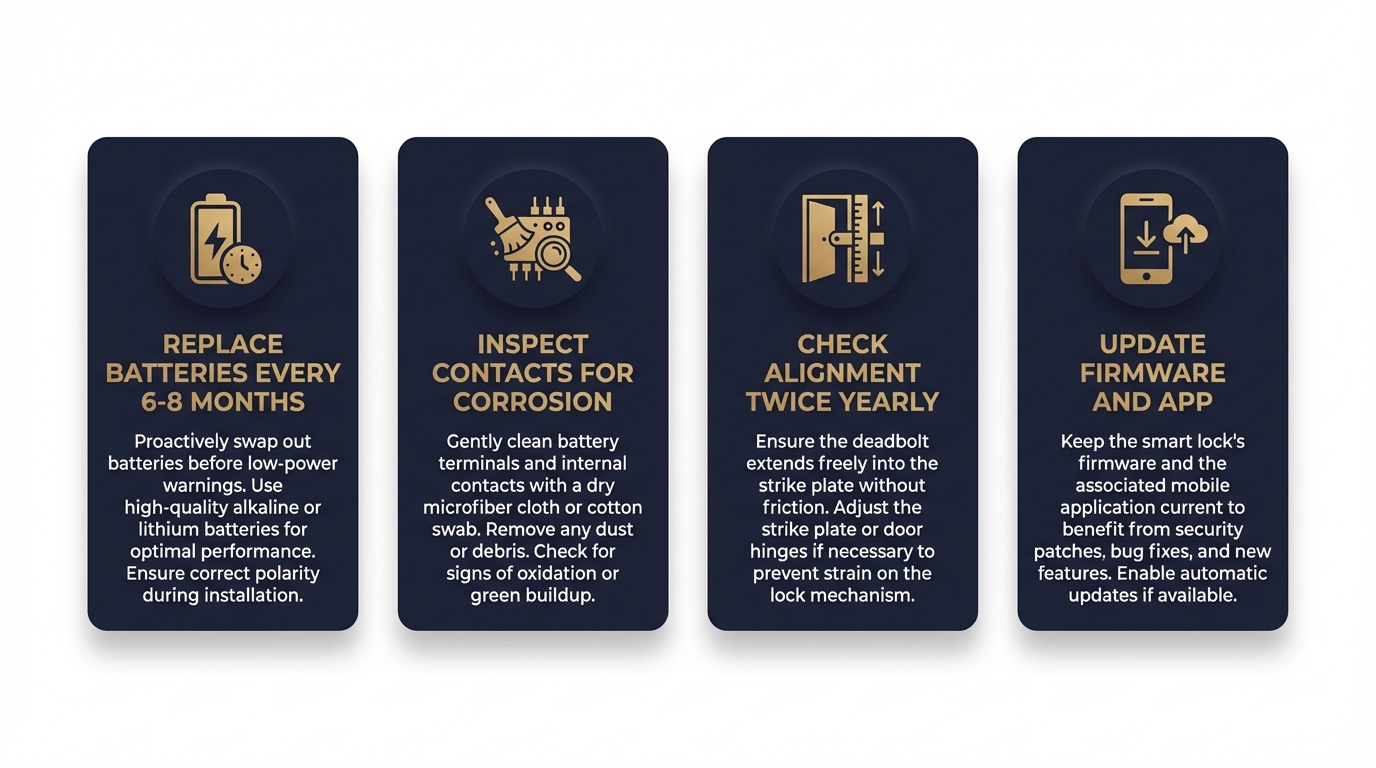
Once your lock is working again, a few simple habits can prevent repeat failures. Replace batteries proactively every 6 to 8 months rather than waiting for low-battery warnings, which sometimes arrive too late. Inspect the battery contacts for early signs of corrosion during each change. Check your door’s alignment twice a year — once after the peak summer heat and once after winter — by watching whether the deadbolt extends and retracts smoothly with the door closed. Keep your lock’s firmware and companion app updated, but always test the lock immediately after an update to catch any sync issues early.
For homes with multiple entry points or shared access needs, consider maintaining a mechanical backup lock alongside your smart lock. This provides a reliable failsafe during electronic malfunctions and eliminates the urgency that leads to costly emergency calls or forced entry damage. Under Texas Property Code 92.156, tenants also have the right to request rekeying of security devices at their expense, which means landlords and property managers should ensure all lock systems — including smart locks — are maintained in working order and can be rekeyed or recoded between tenants.
Frequently Asked Questions About Smart Lock Problems
Why is my smart lock not responding even with new batteries?
New batteries alone may not restore function if the battery contacts are corroded or if the lock needs a power cycle. Remove the batteries, clean the contacts, wait sixty seconds, and reinsert them. If the lock still does not respond, the issue may be a failed circuit board or internal wiring, which requires professional assessment.
Can humidity in San Antonio damage my smart lock?
Yes. High humidity accelerates corrosion on battery contacts and electronic components. It also causes wooden door frames to swell, creating misalignment that puts mechanical stress on the deadbolt motor. Regular maintenance and alignment checks help mitigate these effects.
How do I know if my smart lock needs repair or full replacement?
If the lock responds after basic troubleshooting — battery change, cleaning, realignment, or power cycle — it is likely repairable. If it remains unresponsive after a factory reset and fresh batteries, or if you hear grinding noises from the motor, professional inspection is needed to determine whether internal components can be replaced or the entire unit should be swapped.
Is it safe to perform a factory reset on my smart lock?
A factory reset is safe as long as your door is open and you have an alternate way to secure it afterward. The reset erases all codes and app pairings, so document your settings before proceeding. It should be treated as a last resort after ruling out power, alignment, and connectivity issues.
What should I do if I am locked out and my smart lock is not working?
Do not force the door. Try pressing or pulling the door toward the hinges while entering your code to relieve bolt pressure. Check for an emergency battery terminal on the exterior housing. If these steps fail, contact a 24/7 locksmith for professional, non-destructive entry.
Can a locksmith program or reprogram a smart lock?
Yes. A qualified locksmith can reset, reprogram, recalibrate, and re-pair most smart lock brands. They can also update access codes, add or remove users, and ensure the lock is properly calibrated to your specific door and frame dimensions.
Still Struggling With a Smart Lock That Will Not Cooperate?
If you have worked through the diagnostics above and your lock still is not functioning properly — or if you are currently locked out and need help right now — do not risk further damage by forcing it. Immediate Response Locksmith provides fast, affordable, and professional smart lock repair and emergency locksmith services throughout San Antonio, available 24 hours a day. Our technicians arrive equipped to diagnose the exact issue, whether it is electronic, mechanical, or both, and resolve it on the spot. Contact us today for reliable help you can count on.
Ready to Get Your Smart Lock Working Again?
15+ years serving San Antonio. Licensed, insured, and available around the clock.