
Ring Smart Lock San Antonio TX – Professional Installation and Setup Guide
San Antonio homeowners are increasingly turning to smart lock technology to enhance both convenience and security. A Ring smart lock San Antonio TX installation offers seamless integration with your existing Ring ecosystem, allowing you to monitor and control access to your home from anywhere. These devices have become popular because they eliminate the need for physical keys while providing real-time notifications and remote access management through the Ring app.
Ring smart locks work within the broader Ring home security framework, connecting with doorbells, cameras, and alarm systems. This integration creates a unified approach to home protection that appeals to families, rental property owners, and anyone seeking greater control over who enters their home. Understanding how these locks function and what professional installation involves will help you make informed decisions about upgrading your home security.
Understanding Ring Smart Locks and Compatibility
Ring smart locks operate within the “Works With Ring” ecosystem, which means they communicate with other Ring devices through a central hub. This ecosystem approach ensures that your lock, doorbell, cameras, and alarm system share information and respond to events in a coordinated manner. The core functionality centers on Z-Wave wireless technology, which provides reliable short-range communication between devices.
Before purchasing a smart lock, understanding compatibility requirements prevents frustration and wasted investment. Not every smart lock on the market integrates with Ring systems, and even compatible locks may require specific hardware configurations to function properly.
What is a Ring Smart Lock?
A Ring smart lock is a Z-Wave enabled deadbolt that integrates with the Ring home ecosystem for enhanced security and access control. These locks allow you to lock or unlock your door remotely through the Ring app, create and manage access codes for family members or guests, and receive notifications when someone enters or exits. When paired with a Ring doorbell lock setup, you can see who is at your door and grant them access without physically being present.
The integration extends beyond simple locking mechanisms. Your smart lock can trigger other Ring devices—for example, unlocking the front door might automatically disarm your Ring alarm or turn on connected lights. This interconnected approach creates a more responsive and intelligent home security system.
Ensuring Compatibility with Your Ring Alarm System
Most Ring-compatible smart locks require a Ring Alarm Base Station to function within the Ring app. The Base Station acts as the Z-Wave hub, translating commands between your smartphone and the lock. Without this hub, you may experience limited functionality or complete incompatibility. According to Ring’s official documentation, the Base Station is essential for enabling app control of Z-Wave devices.
Before purchasing, verify your lock appears on Ring’s official compatibility list. Check whether the “Base Station Required” column indicates yes for your specific model. This verification step saves time and ensures your Ring access features work as expected from day one.
Why Does Professional Installation Matter for Smart Lock Performance?
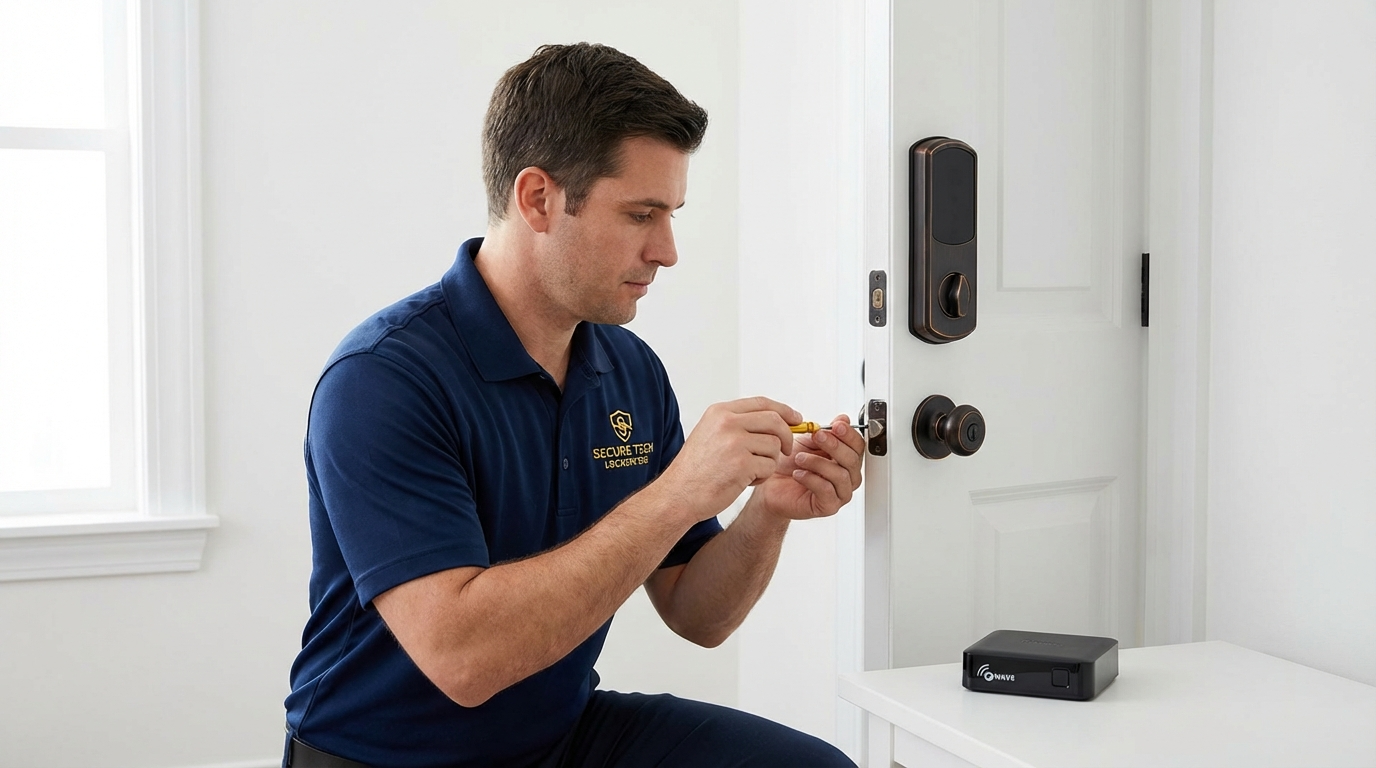
Professional installation addresses challenges that DIY approaches often miss. Smart locks involve both mechanical fitting and wireless network configuration. A lock that physically fits your door might still fail to connect reliably if the Z-Wave network coverage is inadequate or if the device calibration is incorrect.
An Immediate Response Locksmith brings expertise in both traditional lock mechanisms and modern smart home technology. This dual knowledge ensures your lock operates smoothly mechanically while maintaining stable connectivity with your Ring system. Professionals also identify potential issues with door alignment, strike plate positioning, and deadbolt extension that could cause jams or premature wear.
“Cristin completed the task in less than 5 minutes! Highly recommended!”
Why Choose a Professional for Your Ring Smart Lock Installation?
Professional installers optimize Z-Wave network placement to prevent connectivity drops. They assess your Base Station location relative to the door, identify potential interference sources, and recommend adjustments if signal strength appears weak. This attention to network topology prevents the frustrating “device offline” notifications that plague many DIY installations.
Proper lock mechanism fitting prevents jams and extends device lifespan. Professionals check door alignment, measure deadbolt throw distance, and ensure the strike plate allows smooth operation. These mechanical considerations directly impact whether your smart lock reports “jammed” errors or operates reliably for years.
What to Expect During Installation
Installation typically begins with an assessment of your existing door hardware and Ring system configuration. The technician examines door thickness, existing hole patterns, and deadbolt compatibility. For homeowners in San Antonio seeking reliable Ring smart lock San Antonio TX installation, experienced locksmiths handle the complete process from hardware mounting to app integration.
After physical installation, the technician pairs the lock with your Base Station, calibrates the motor, and tests lock/unlock cycles. You receive instruction on creating access codes, setting up notifications, and using remote control features. The process typically requires 45 to 90 minutes depending on door preparation needs.
| Installation Phase | What Happens | Time Estimate |
|---|---|---|
| Assessment | Door measurement, hardware check, system review | 10-15 minutes |
| Physical Installation | Mounting lock, strike plate adjustment, alignment | 20-30 minutes |
| Network Pairing | Z-Wave connection, Base Station sync, app setup | 10-20 minutes |
| Testing and Training | Lock cycles, code creation, user instruction | 10-15 minutes |
Enhancing Your Home Security with Ring Smart Lock Features
Ring smart locks provide features that traditional deadbolts cannot match. Remote locking and unlocking means you never wonder whether you remembered to secure the door. Access code management eliminates key copies floating among friends, contractors, and former housekeepers. Real-time notifications keep you informed whenever someone enters, creating an activity log that traditional locks cannot provide.
Key Features and Benefits
The Ring doorbell lock integration exemplifies smart home convenience. When a visitor rings your doorbell, you see them on camera and can unlock the door remotely—useful for package deliveries, dog walkers, or family members who forgot their code. Ring access code management allows you to create temporary codes for guests that automatically expire, eliminating the need to collect keys after visits.
Notification customization lets you choose which events trigger alerts. You might want notifications only when the door unlocks during certain hours, or perhaps every lock/unlock event matters to you. This flexibility ensures you receive relevant information without notification fatigue.
Integrating with Your Ring Alarm System
Smart locks can arm or disarm your Ring alarm based on lock status. Locking the door as you leave can automatically arm the system in Away mode, while unlocking upon return disarms it. According to Ring’s integration guide, this automation requires proper configuration but dramatically simplifies daily routines once set up.
Event logging tracks lock activity alongside alarm events, creating a comprehensive security timeline. If an alarm triggers, you can review whether the door was properly locked, who entered last, and when. This visibility proves valuable for families managing multiple schedules and access permissions.
“Arrived within 15 minutes, fixed my lock in less than 10. Fast and reasonably priced.”
What Causes Ring Smart Locks to Stop Connecting?
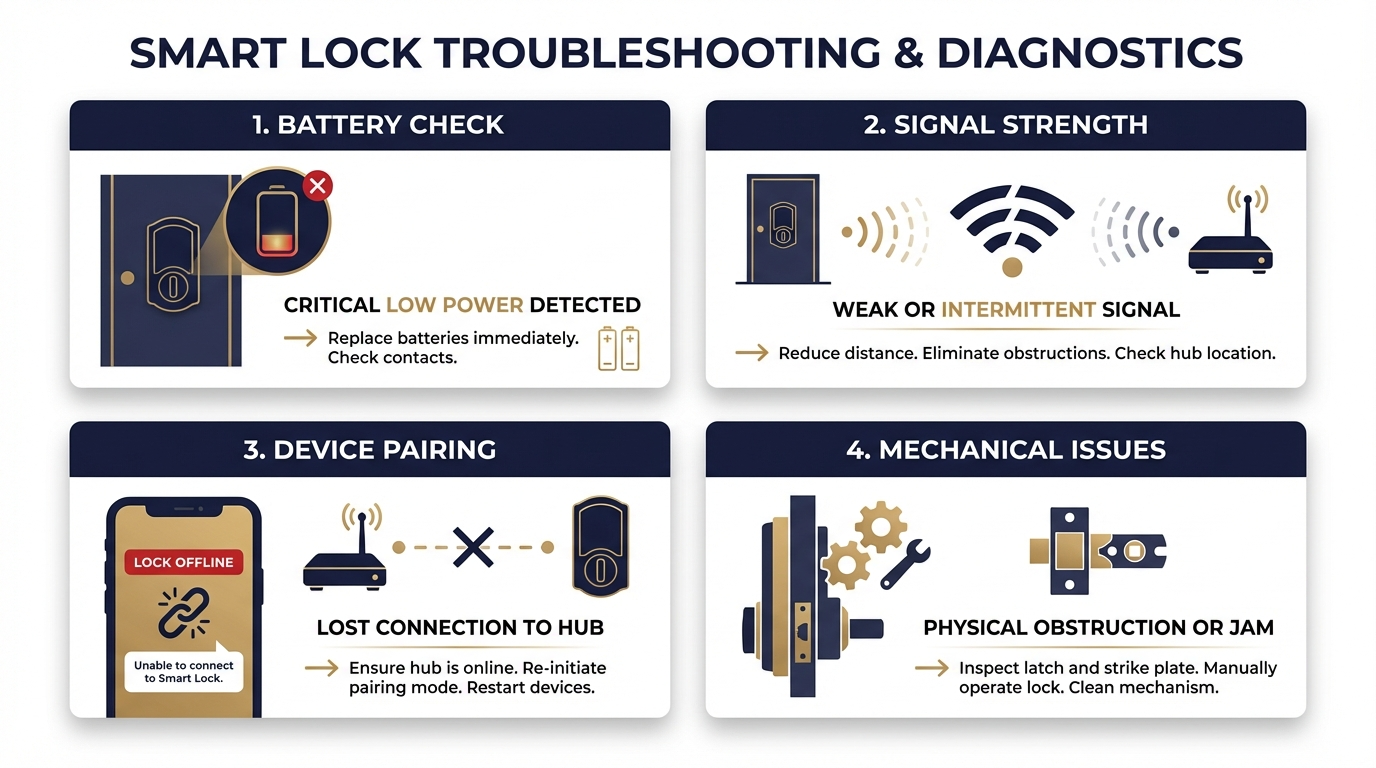
Connectivity problems frustrate many smart lock owners. The most common causes involve signal strength, pairing procedures, and battery condition. Understanding these factors helps you troubleshoot effectively or communicate clearly with a service technician.
Z-Wave operates on a different frequency than WiFi, and walls, large metal objects, and distance from the Base Station all affect signal quality. A lock installed on a door far from the Base Station may connect initially but drop offline periodically as conditions change.
Connectivity and Pairing Problems
When your lock fails to connect, start by checking battery levels. Low batteries cause erratic behavior before complete failure. Next, consider Base Station placement—Ring recommends bringing devices closer to the hub during initial pairing and ensuring fresh batteries.
If the lock previously worked but went offline, try the retry/reconfigure/remove-and-add sequence. The Ring app provides options to retry the connection, reconfigure device settings, or completely remove and re-add the lock. This process often resolves temporary communication glitches.
Lock Malfunctions
Physical jams differ from connectivity issues. If your lock reports “jammed” status, the problem likely involves door alignment or obstruction rather than wireless communication. Check whether the deadbolt extends and retracts smoothly when operated manually. Difficulty with manual operation indicates mechanical issues that software cannot fix.
Common mechanical causes include shifted door frames, debris in the strike plate, or worn deadbolt components. An Immediate Response Locksmith can diagnose whether the problem requires door adjustment, strike plate modification, or lock replacement.
How Do Installation Costs Vary in San Antonio?
Smart lock installation pricing depends on several factors beyond the lock itself. Door preparation, existing hardware removal, network configuration complexity, and service timing all influence final costs. Understanding these variables helps you budget appropriately and evaluate quotes.
Standard installations on prepared doors cost less than installations requiring hole modifications or reinforcement. Emergency or after-hours service typically carries premium pricing compared to scheduled appointments during business hours.
| Cost Factor | Lower Cost Scenario | Higher Cost Scenario |
|---|---|---|
| Door Preparation | Existing deadbolt hole, standard thickness | New hole required, non-standard door |
| Hardware Removal | Simple deadbolt swap | Multiple lock removal, damage repair |
| Network Setup | Base Station already configured | New Base Station installation needed |
| Service Timing | Scheduled weekday appointment | Emergency weekend service |
Request detailed quotes that specify what is included. Some providers bundle network configuration and user training while others charge separately for these services. Clarifying scope prevents unexpected charges and ensures you receive complete installation.
Get a Free Smart Lock Installation Quote
Licensed technicians available 24/7 across San Antonio and surrounding areas.
Maintaining Your Ring Smart Lock for Long-Term Security
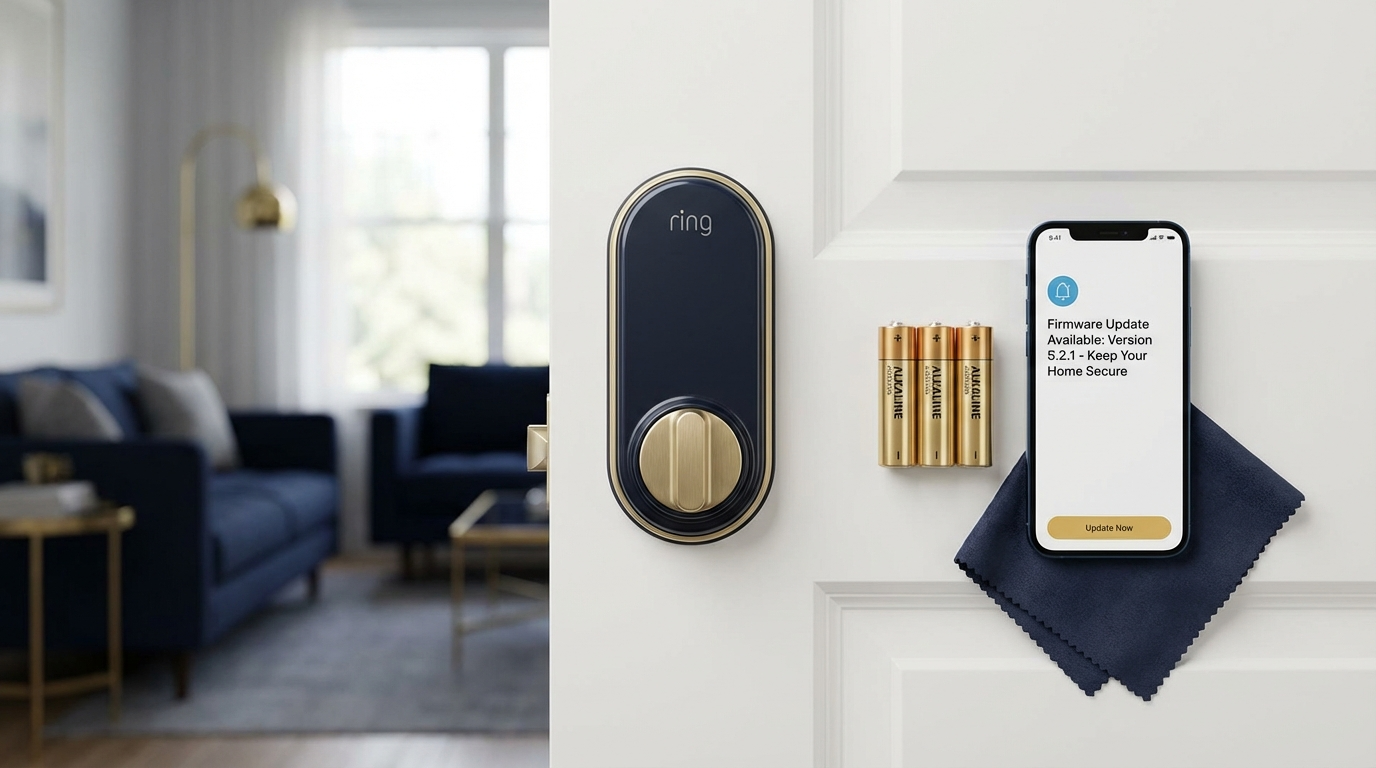
Smart locks require both physical maintenance and digital security attention. Neglecting either aspect compromises the protection these devices provide. Regular maintenance extends device lifespan while security practices protect against unauthorized access.
Regular Maintenance Tips
Battery replacement schedules depend on usage patterns, but most Ring-compatible locks require new batteries every 6 to 12 months. Low battery warnings appear in the app, but proactive replacement before failure prevents lockouts. Use high-quality alkaline or lithium batteries as specified by your lock manufacturer.
Firmware updates address bugs, improve performance, and patch security vulnerabilities. CISA recommends enabling automatic updates where possible to reduce risk from known vulnerabilities. Check your Ring app periodically to confirm your devices run current firmware versions.
Cybersecurity Best Practices
Strong, unique passwords protect your Ring account from unauthorized access. Avoid using the same password across multiple services, and enable two-factor authentication for additional protection. Government cybersecurity guidance emphasizes changing default passwords immediately upon device setup.
Your home WiFi network forms the foundation of smart home security. Change router default credentials, use WPA3 encryption if available, and keep router firmware updated. A compromised network potentially exposes all connected devices, including your smart lock.
Common Mistakes When Setting Up Ring Smart Locks
First-time smart lock users often make avoidable errors that lead to frustration or security gaps. Learning from common mistakes helps you achieve a successful installation and ongoing operation.
Purchasing without verifying compatibility ranks among the most expensive mistakes. A lock that works with other smart home platforms may not integrate with Ring systems. Always check the official compatibility list before buying. Similarly, assuming WiFi connectivity works everywhere ignores Z-Wave range limitations. Your lock connects to the Base Station, not directly to your router.
Skipping the calibration step causes operational problems. Smart locks learn the exact motor force and timing needed for your specific door during calibration. Without proper calibration, the lock may report false jams or fail to fully extend the deadbolt. Take time during setup to complete this process correctly.
“Cristin is hands-down the best locksmith I’ve ever worked with. She showed up quickly and handled a tricky lockout with total professionalism.”
How Local Locksmith Services Support Smart Lock Owners
Local locksmiths provide value beyond initial installation. When locks malfunction, connectivity fails, or mechanical issues arise, having a trusted local contact saves time compared to remote troubleshooting or waiting for manufacturer support.
San Antonio homeowners benefit from locksmith services that understand both traditional security and smart home technology. These professionals diagnose whether problems stem from mechanical wear, network issues, or device failure. They carry tools and parts for immediate repairs rather than ordering components and scheduling return visits.
Emergency availability matters for lockouts and urgent repairs. A smart lock battery dying at midnight or a jammed deadbolt preventing entry requires immediate response. Local services offering 24/7 availability provide peace of mind that help remains available when needed most.
Comparing Ring Smart Locks to Traditional Deadbolts
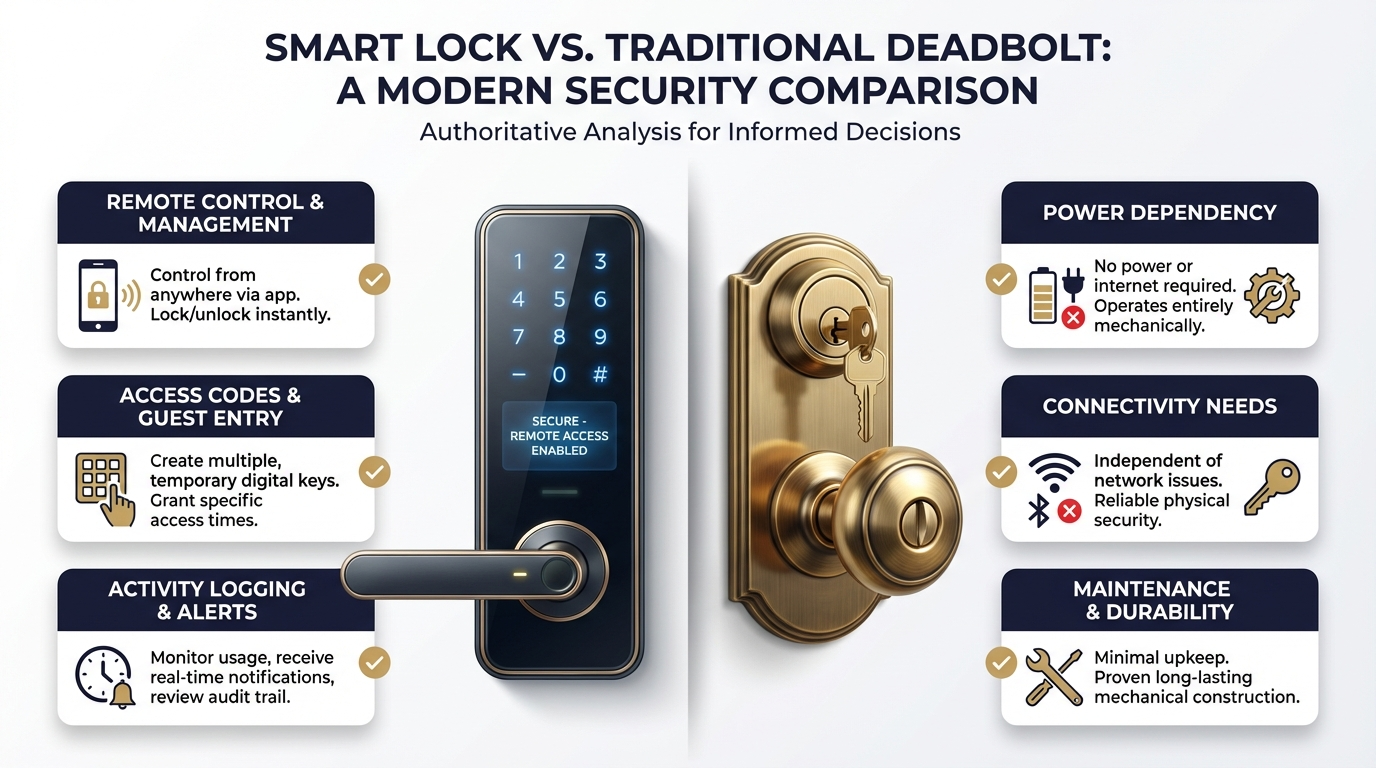
Understanding the tradeoffs between smart and traditional locks helps you decide whether upgrading makes sense for your situation. Both options provide security, but they differ significantly in convenience, maintenance, and failure modes.
| Feature | Traditional Deadbolt | Ring Smart Lock |
|---|---|---|
| Remote Control | Not available | Lock/unlock from anywhere |
| Access Codes | Not available | Multiple codes, temporary options |
| Activity Logging | Not available | Complete entry/exit history |
| Power Dependency | None | Requires batteries |
| Connectivity Needs | None | Base Station, network |
| Maintenance | Occasional lubrication | Batteries, firmware, physical care |
Traditional deadbolts offer simplicity and reliability without technology dependencies. They never run out of batteries or lose connectivity. However, they cannot provide remote access, guest codes, or integration with broader security systems. Smart locks require more maintenance but deliver convenience and visibility that traditional hardware cannot match.
Frequently Asked Questions
Do Ring smart locks work without internet?
Ring smart locks require internet connectivity for remote access and notifications. However, physical keypad codes and manual key backup continue functioning during internet outages. Local Z-Wave communication between the lock and Base Station persists, but you cannot control the lock through the app without internet service.
How long do batteries last in a Ring smart lock?
Battery life varies by usage but typically ranges from 6 to 12 months. Heavy usage with frequent lock/unlock cycles depletes batteries faster. The Ring app provides low battery warnings, giving you time to replace batteries before complete failure.
Can I install a Ring smart lock on any door?
Most standard exterior doors accept Ring-compatible smart locks, but door thickness, existing hole patterns, and material affect compatibility. Metal doors, fiberglass doors, and non-standard thicknesses may require adapters or modifications. A professional assessment identifies potential issues before purchase.
What happens if my smart lock battery dies while I am away?
Most Ring-compatible smart locks include physical key backup. Carrying your backup key prevents lockouts if batteries fail unexpectedly. Some locks also feature external battery terminals allowing temporary power from a 9-volt battery to operate the keypad long enough to enter your code.
How secure are Ring smart locks compared to traditional locks?
Ring-compatible smart locks meet or exceed traditional deadbolt security standards for physical resistance. The digital components add potential vulnerability vectors, but strong passwords, two-factor authentication, and current firmware significantly reduce these risks. The activity logging and instant alerts often provide security awareness that traditional locks cannot offer.
Can I give temporary access to guests or service providers?
Yes. Ring access features allow you to create temporary codes that expire after specified times or dates. You can also create recurring schedules for regular visitors like housekeepers. Deleting codes remotely eliminates the traditional hassle of collecting keys from former guests or employees.
How much does professional smart lock installation cost in San Antonio?
Professional installation typically ranges from $75 to $150 for labor, depending on door preparation needs and service timing. This does not include the cost of the lock itself. Emergency or after-hours service may carry additional fees. Contact us for a free estimate tailored to your specific situation.
Ready to Upgrade Your Home Security?
15+ years serving San Antonio. Licensed, insured, and trusted by 557+ homeowners.